Not Another Agent Manager
Tired of agent managers?Me too.
Most of them are barking up the wrong layer. Don't reinvent my tools. No more chat wrappers. This is Noaam.

What it does
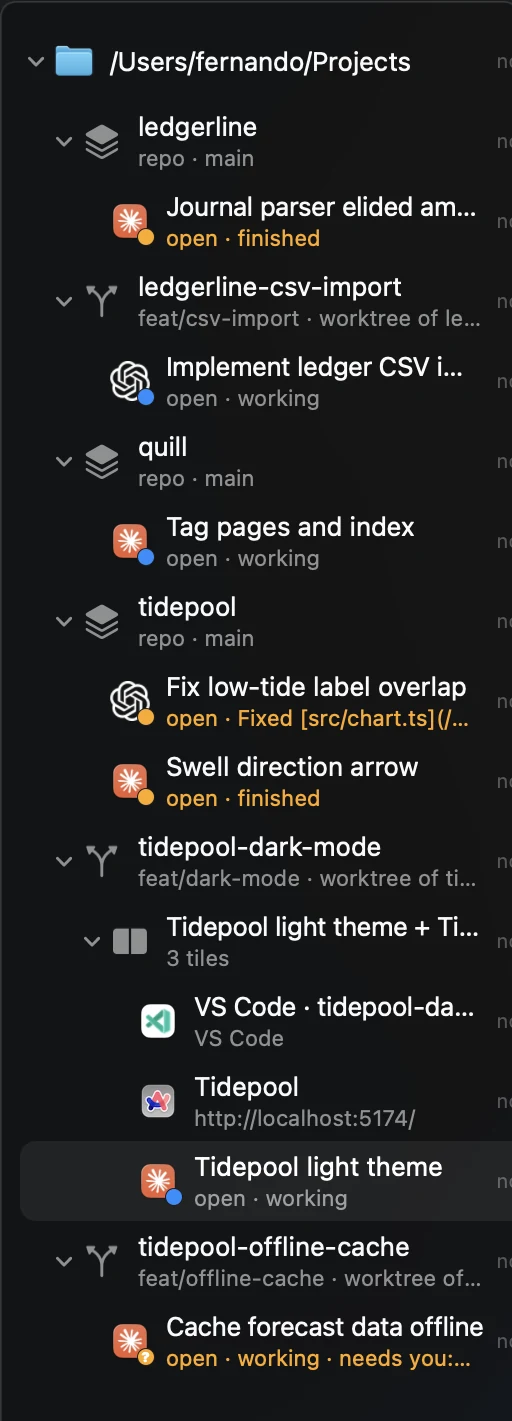
You never hunt for the session that needs you.
Every tool gets one dot: working, waiting on you, finished while you were elsewhere, or crashed.
Everything filed where it belongs.
Sessions from your coding agent, editor windows, websites and terminals land under the repo or worktree they belong to. Nothing to import. Right-click any folder to branch a new worktree there.
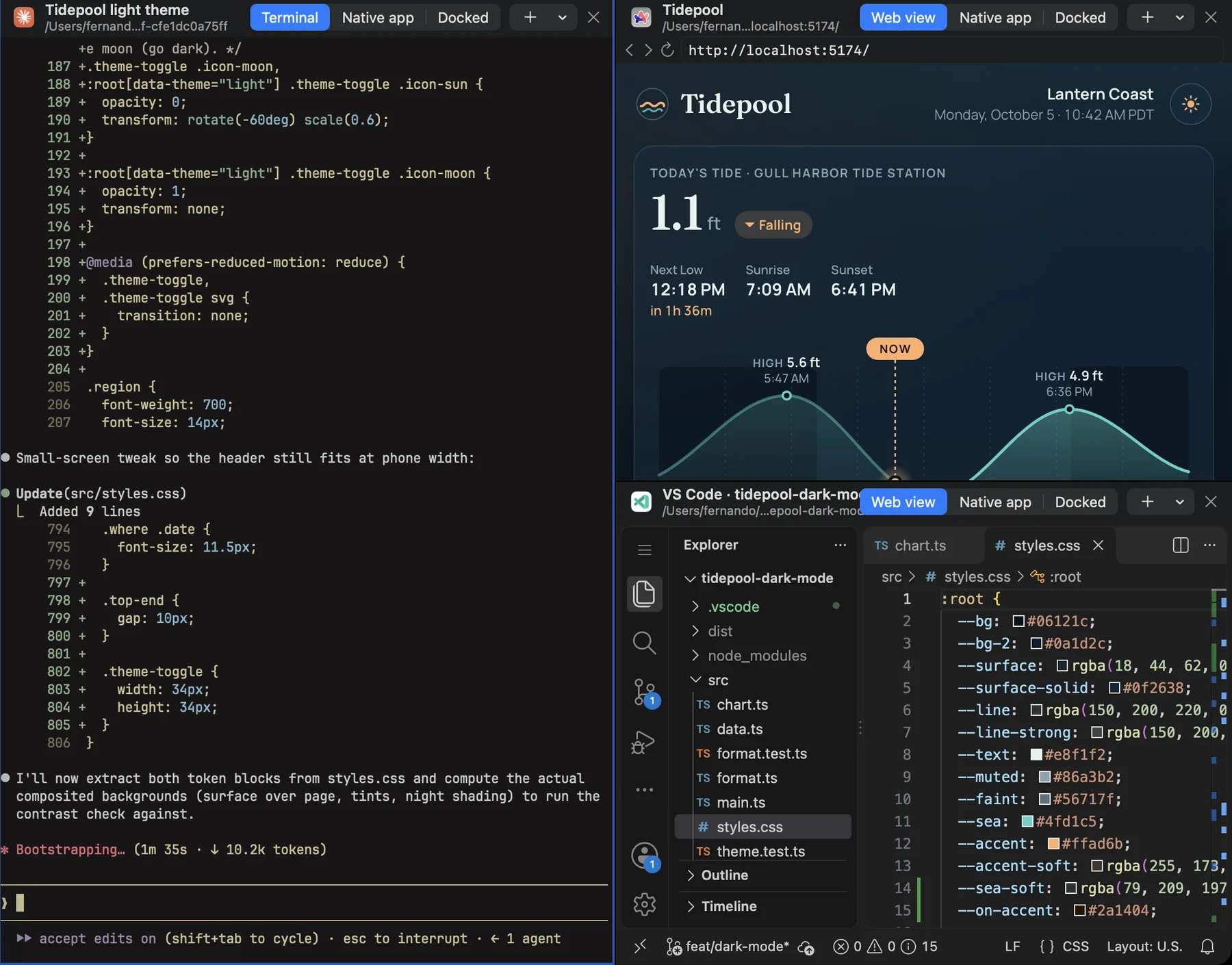
One task, one Space.
Drag an item onto the edge of a pane to split it. The agent, the page it's building and your editor sit side by side, and the layout is saved.
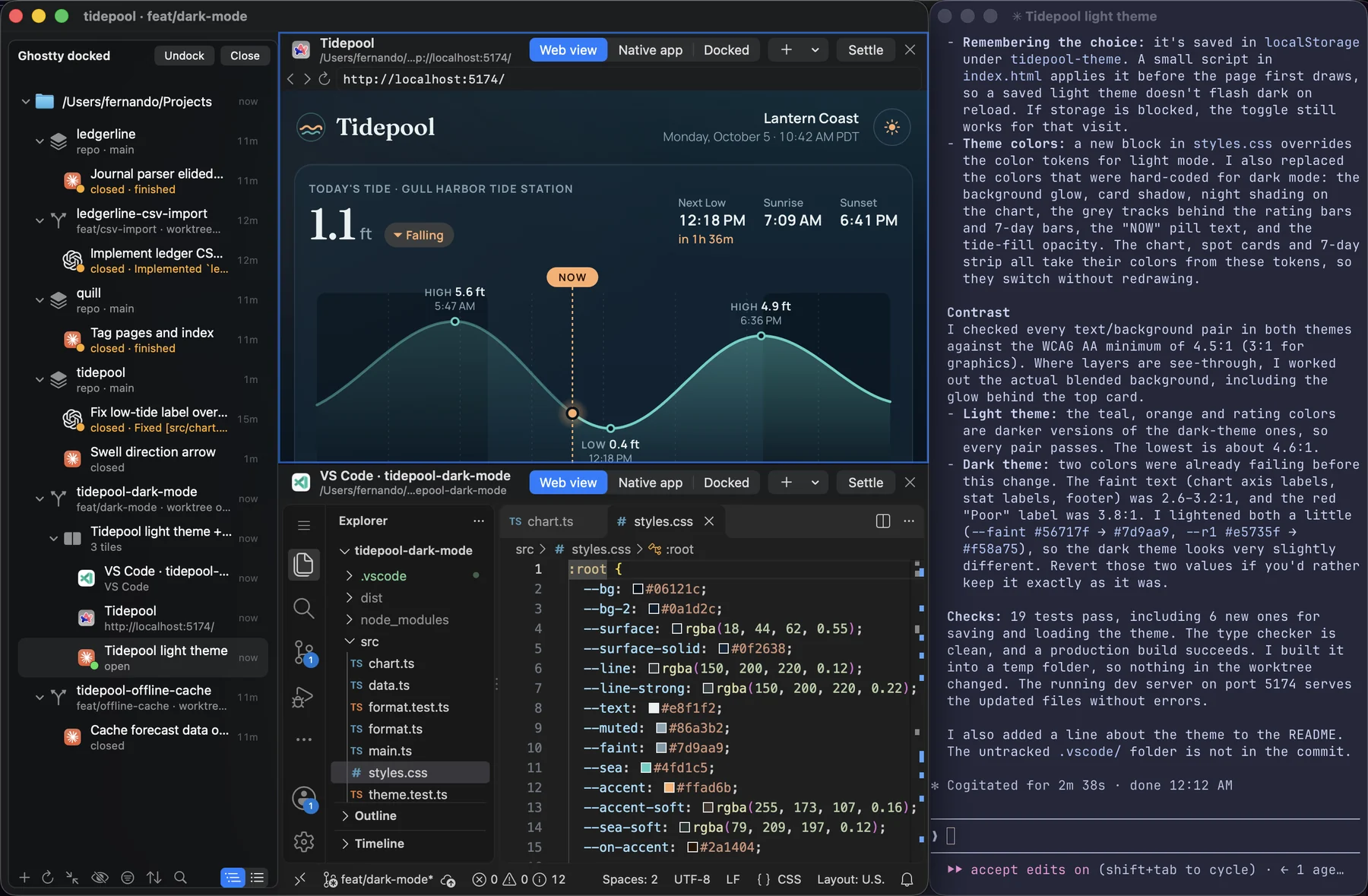
Your real apps. Not another half-baked TUI.
Any item opens in its own app with one click. Or dock that app's window next to the sidebar, or into a tile of a Space, and it moves with Noaam.
Work stays at work.
Profiles keep work and side projects apart: their own folders, tools and web sign-ins. Each runs as its own Noaam, side by side in ⌘-Tab.
 workNoaampersonalNoaam
And also
The small stuff
- Start anything from anywhere⌃⌘T, pick the tool and the folder, go. An agent gets your text as its first message.
- Find anything⌃⌘F searches the sidebar, fzf-style.
- Back and forward⌃⌘[ and ⌃⌘] step through everything you opened.
- Keys that never collide*Noaam's commands live on ⌃⌘. Plain ⌘ keys stay with your tools.
- Scrollback survivesCrash, quit or reboot, and a terminal's old output is still there.
- Light on memoryHidden items unload when quiet and resume when you come back.
- Settle, never deleteHide what's done. Your sessions, worktrees and files stay put.
- No lock-inEverything Noaam knows is small JSON files in
~/.config/noaam. Delete Noaam and your sessions, worktrees and files are exactly where they were.
* Except ⌘Q, ⌘W, ⌘, (Settings), ⌘H and ⌘M, which always go to Noaam, and any ⌃⌘ shortcut a tool of yours also uses.
Works with
Whatever you already run
- Claude Code
- Codex
- opencode
- Pi
- VS Code
- Neovim
- Zed
- Ghostty
- Zen
- Chrome
- Safari
- + anything you add
Get it
Keep your tools. Lose the mess.
Questions
Why build another agent manager?
Half of them want to replace my tools. A new terminal. A new multiplexer. An editor with a chat box glued to the side. No. I'm not learning your AI slop terminal multiplexer. When I read or edit code, I use VS Code/Neovim/Zed/<insert your tool>. When I talk to a coding agent, I use Claude Code/Codex/Pi/<insert your tool>. My tools are fine.
The other half wrap my agents. Yet another web UI that reinvents the chat window and shells out to my coding CLI behind the curtain. Now every new feature reaches me whenever some solo vibe coder gets around to supporting it. No thanks. I want the real thing, today's version. My tools are fine.
So what's actually broken?
Keeping track of it all. I work in a repo, a worktree, some random folder. By lunch that folder has eleven agent sessions on it, three browser tabs and an editor window, and nothing on my machine knows they belong together. Which session is waiting on me? Which tab was for which task? Where the heck was I yesterday?
Noaam is only that layer.
Isn't a coding agent all you need?
AI has the experience of an intern on day one. You're still responsible for knowing what you're building.
That's why your editor sits next to your agents, not behind a chat box.
Does it send my code anywhere?
No. No account, no server, no telemetry. Your agents talk to whoever they already talk to.
Does it run my agents for me?
No. They run exactly where they always do, on your Mac, with your subscription. Noaam just keeps track.
Do I need an API key?
No. Noaam doesn't call any model.
Linux? Windows?
Not yet. Maybe if enough people buy me a coffee.
How much?
Free. If it saves you time, sponsor me a coffee.
Why does macOS complain when I open it?
It isn't notarized yet. Here's the one-time fix.